

Image and video sizes on Shbabna
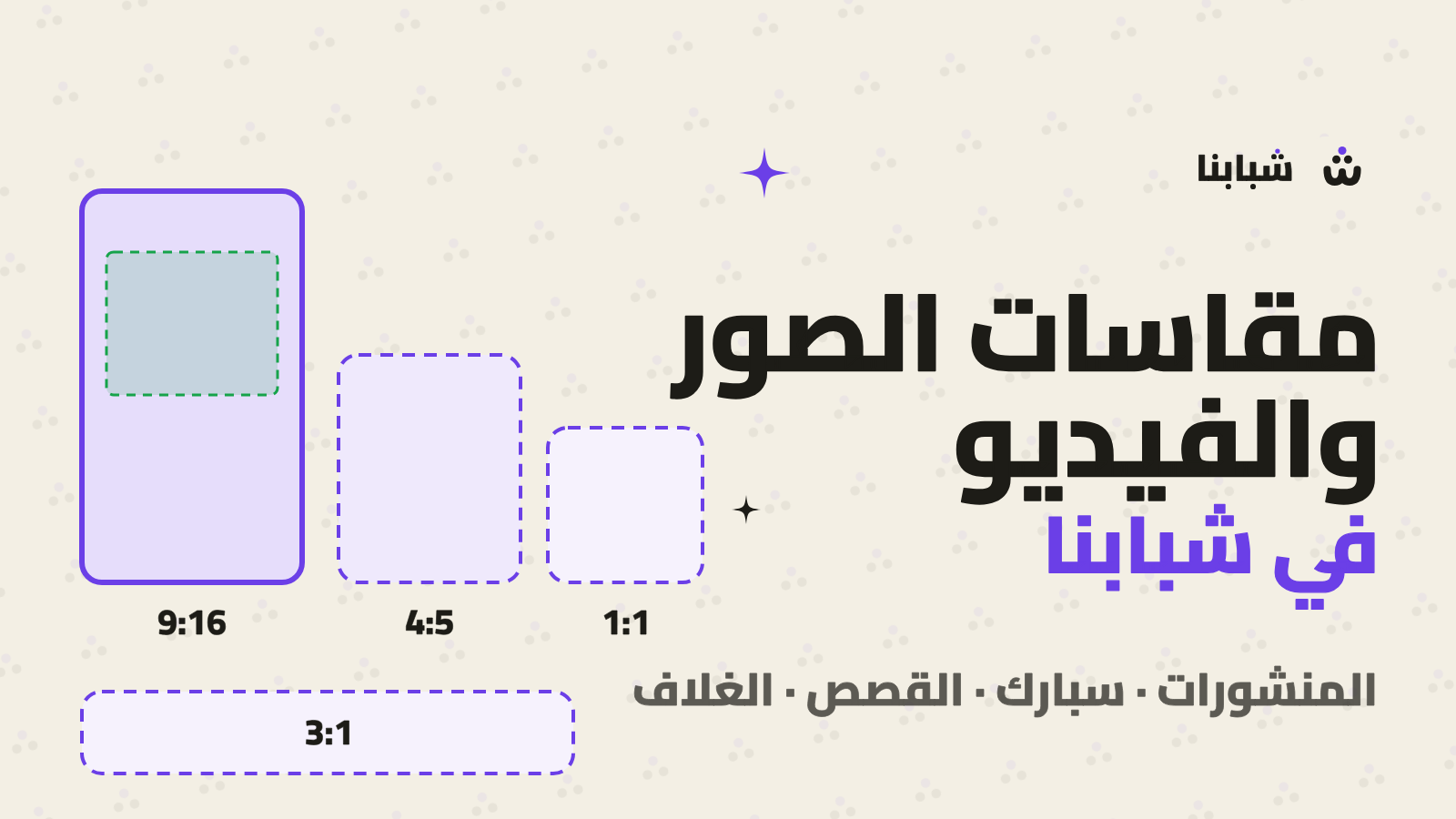
Image and video sizes for Shbabna: the best dimensions for posts, Spark videos, stories, profile photos and covers, plus Spark's safe zones.
7 min read
Contents
Before you upload
Every photo and video you upload to Shbabna is shown inside a frame with a set shape: a tall rectangle on Home, the full screen in Spark and stories, a circle for your profile photo and a wide strip for your cover. Prepare your file at the right size and it shows the way you designed it; anything outside the frame gets cropped.
This guide brings together the best size for each kind of media, the limits the platform accepts and the areas the app's buttons cover, so you know how your work will look before you upload it.
At a glance
| What you upload | Best size | Ratio | Max size |
|---|---|---|---|
| Post photo (best) | 1080 × 1350 | 4:5 | 10 MB |
| Square post photo | 1080 × 1080 | 1:1 | 10 MB |
| Landscape post photo | 1080 × 566 | 1.91:1 | 10 MB |
| Spark video | 1080 × 1920 | 9:16 | 100 MB |
| Video cover | 1080 × 1920 | 9:16 | 10 MB |
| Story | 1080 × 1920 | 9:16 | 50 MB |
| Profile photo | 1080 × 1080 | 1:1 | 10 MB |
| Profile cover | 1500 × 500 | 3:1 | 10 MB |
| Organization logo | 1080 × 1080 | 1:1 | 10 MB |
| Event cover | 1920 × 1080 | 16:9 | 10 MB |
| Certificate photo | 1600 × 1200 | 4:3 | 10 MB |
| PDF or Office file | Portrait A4 or 16:9 slides | 20 MB |
Post photos
The best ratio: 4:5
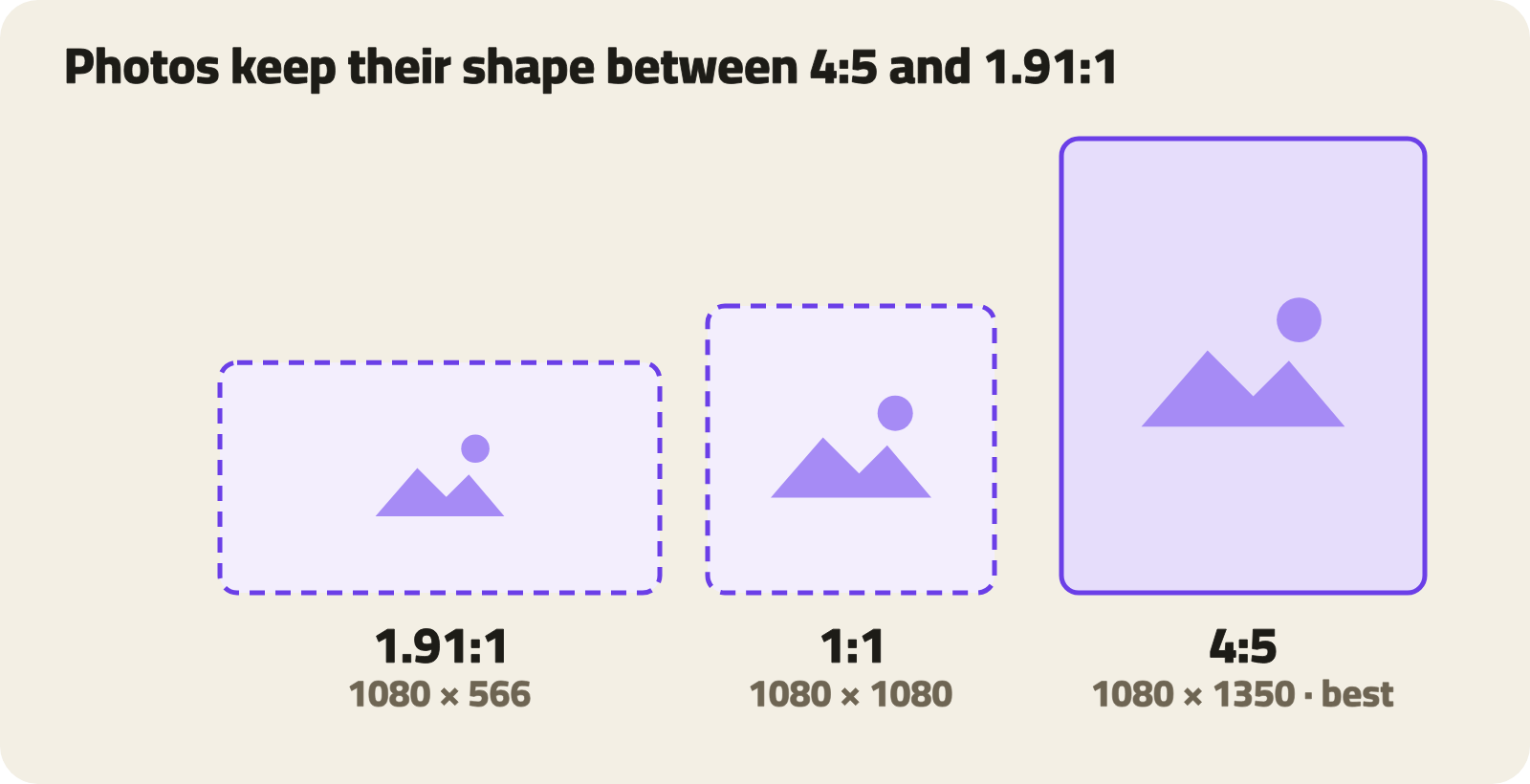
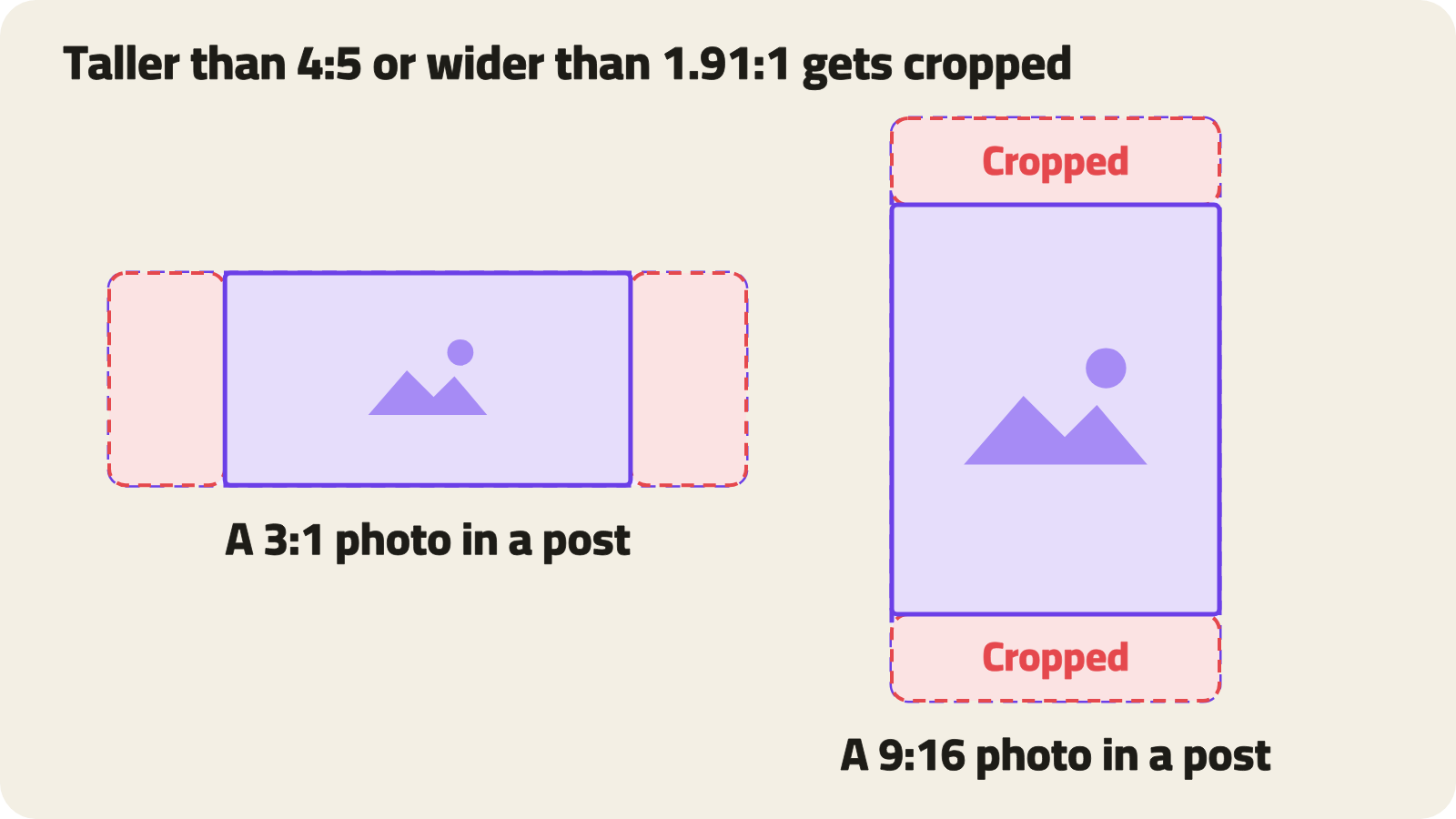
The app shows a post photo in its own shape as long as its ratio is between 4:5 (portrait) and 1.91:1 (landscape). A photo taller than 4:5 is cropped at the top and bottom, and one wider than 1.91:1 is cropped at the sides.
A 1080 × 1350 portrait photo takes up the most room on Home, which makes it the best choice for showing your work.
- Up to 5 photos or videos in one post.
- Formats: JPG, PNG, WebP, HEIC and GIF, each photo up to 10 MB.
- Photos with a long side over 2048 px are scaled down, so there's no point uploading anything bigger.
Posting several photos
Give all the photos the same shape. The app uses the first photo's shape for the whole post and crops the others to it, and the website shows posts with several photos as squares.
Alt text and sensitive content
After you pick a photo you can write alt text that describes it for people who can't see it; screen readers read it out. Keep it short and say what's in the picture, for example "A young man lifting the trophy in front of the crowd".
If a photo isn't right for everyone, mark it as sensitive content: it shows blurred until the viewer chooses to see it.
Spark videos
Size and length
Spark plays vertical video full screen. The best size is 1080 × 1920, a 9:16 ratio.
- Up to 3 minutes long.
- Up to 100 MB from the app, and up to 95 MB from the website.
- Formats: MP4 and MOV.
- From Spark's gallery you can pick up to 20 photos and videos and turn them into one reel; the Shbabna app puts it together on your phone before uploading.
- Videos are converted to 1080p, so filming in 4K doesn't improve what your followers see; it just makes the file bigger and the upload longer.
Safe zones
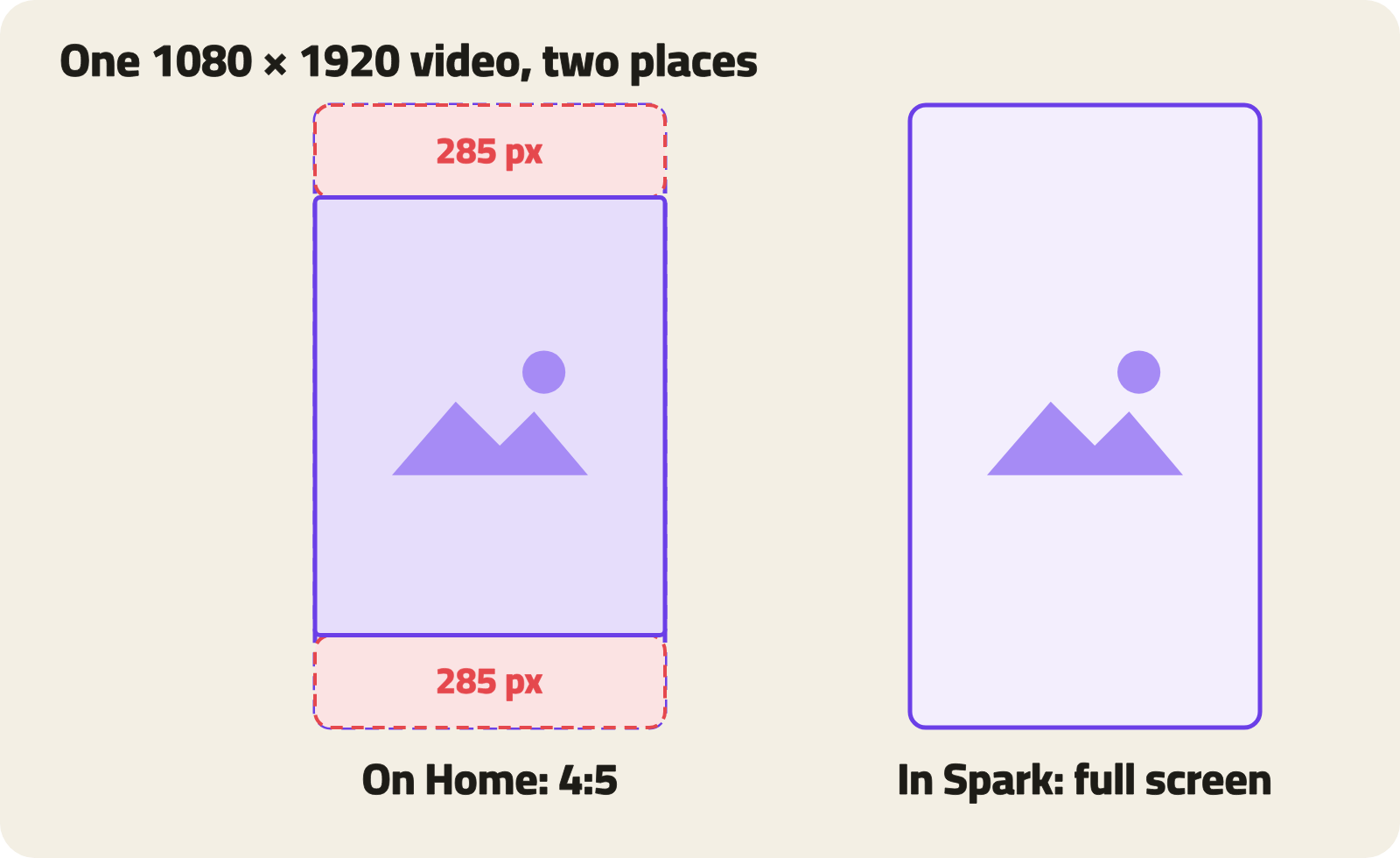
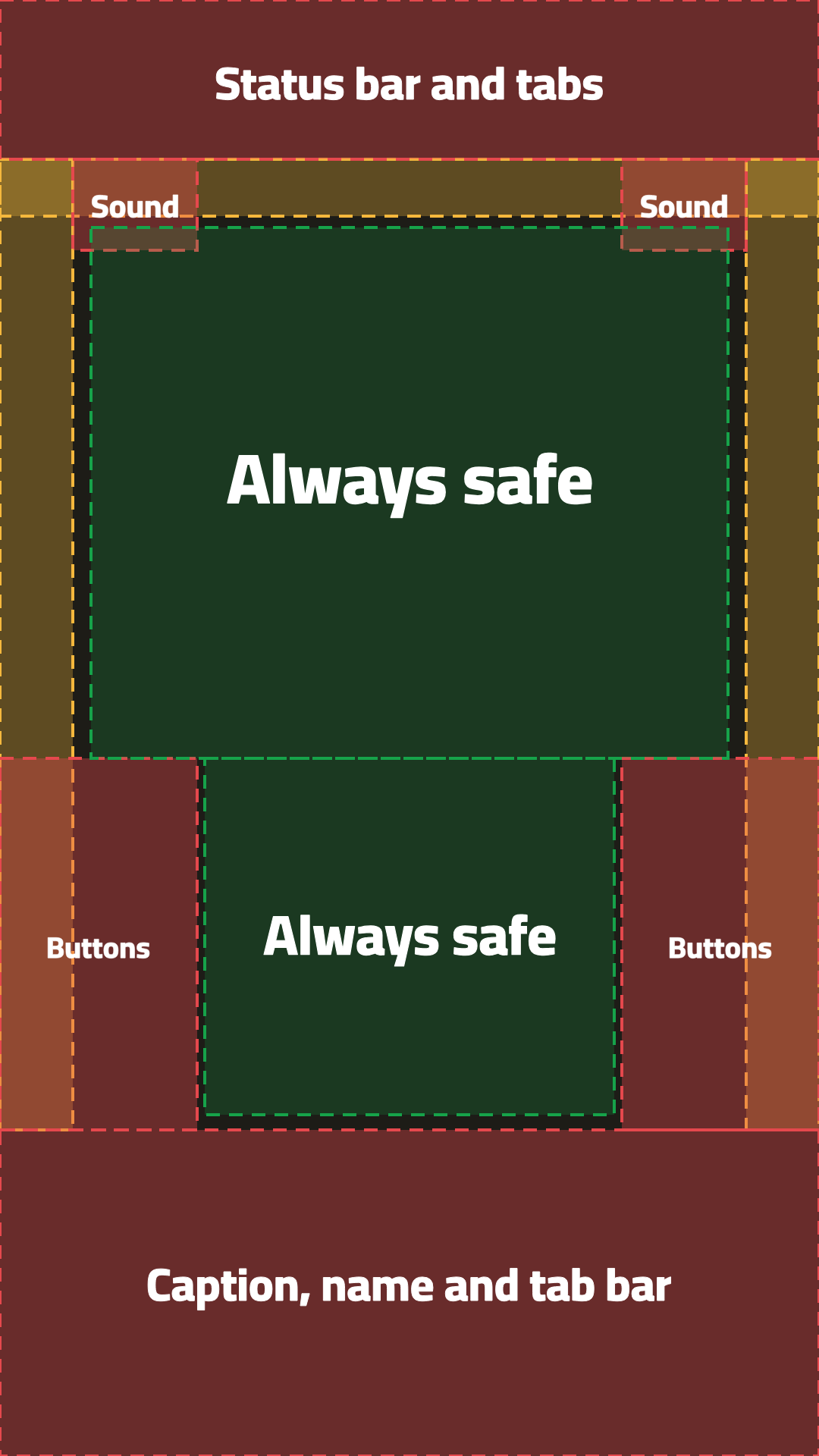
When a video opens full screen, the app draws some controls on top of it and some screens crop its edges. We've split the video into three zones; the numbers are on a 1080 × 1920 video.
Red: covered by the app
- Top: the first 210 px, with the status bar and the "For you" and "Spark" tabs.
- Bottom: the last 430 px (from 1490 down), with the caption, your name, the progress bar and the tab bar.
- Side: 260 px from the edge, from the middle of the video down, with the follow, like, comment and share buttons. They're on the right in English and on the left in Arabic, so keep both sides clear.
- Sound button: in the top corner, under the tabs.
Yellow: cropped on some screens
- Tall phones, which is most modern phones, crop about 96 px from each side.
- Home shows the video in a 4:5 frame, cropping 285 px from the top and the same from the bottom.
Green: always visible
- Upper part: 120 to 960 px across, and 300 to 1000 px down.
- Lower part: narrower because of the buttons: 270 to 810 px across, and 1000 to 1470 px down.
Video cover
Choose a 1080 × 1920 cover for your video. If you don't, we take a frame from the second second, which may not be the shot that sums up your video best. Keep the cover's title in the green zone too, since the cover shows in the same places.
Stories
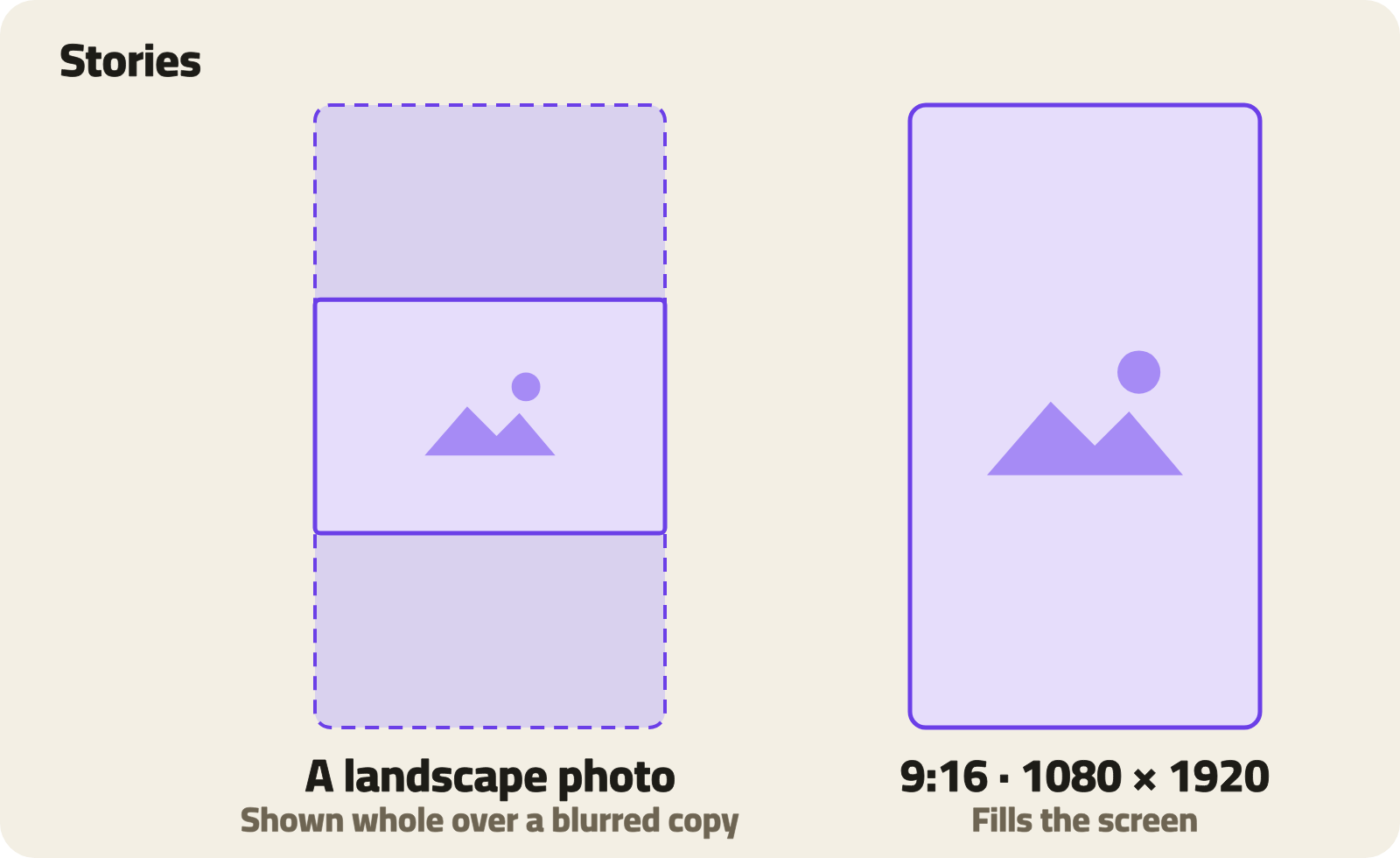
A story fills the screen top to bottom. The best size is 1080 × 1920, 9:16. A photo of another shape is shown whole over a blurred copy of itself.
- A photo shows for 5 seconds, and a video can be up to 60 seconds.
- One file per story, up to 50 MB.
- When you share a post's video that's longer than a minute to your story, you pick 60 seconds of it.
Profile photo and cover
Profile photo
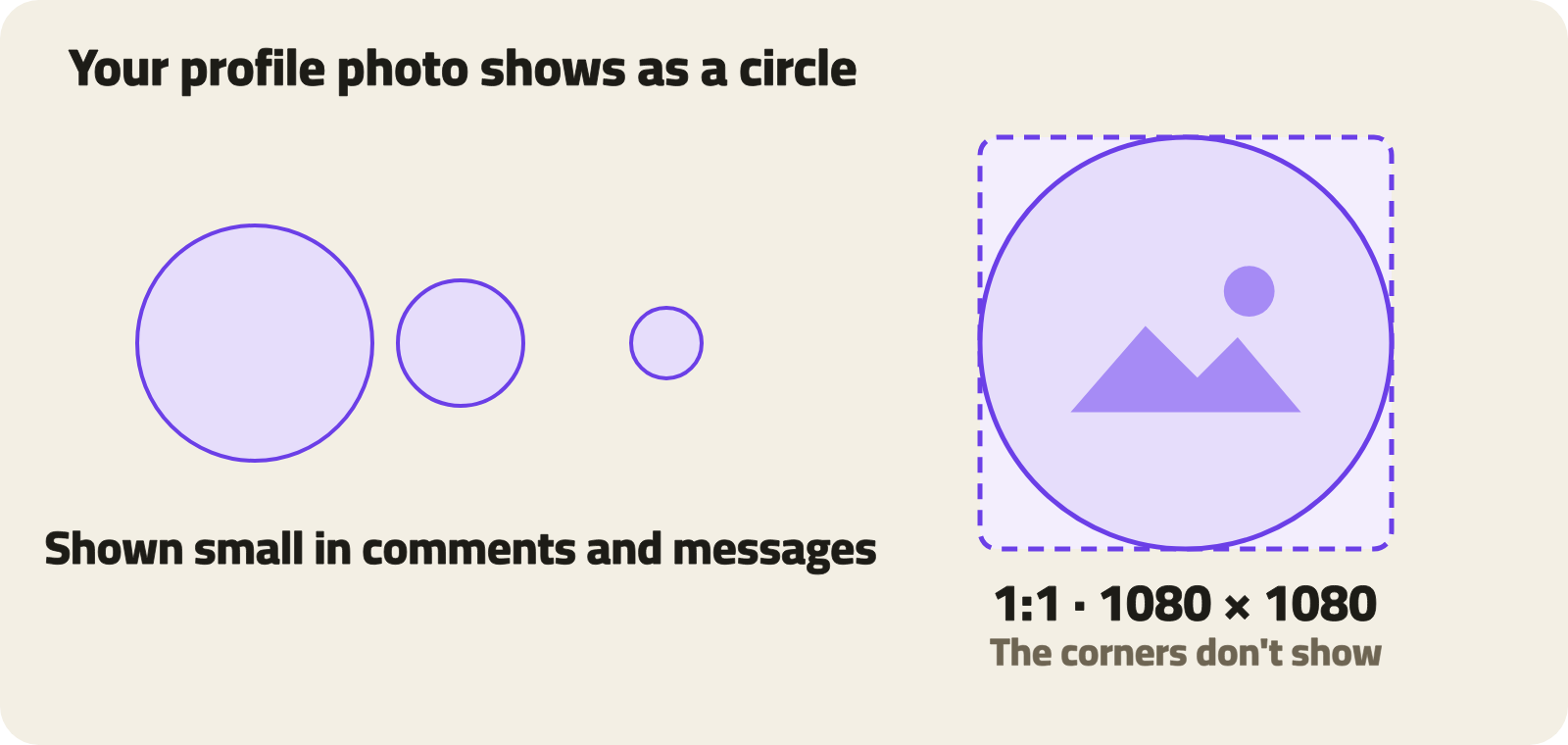
Your profile photo is square and shows as a circle everywhere, so its corners never show.
- Best size 1080 × 1080; smallest 640 × 640.
- Up to 10 MB, as JPG, PNG or WebP.
- Keep your face in the middle and let it fill most of the circle: the photo shows small in comments and messages.
Profile cover
The cover is a wide strip with a 3:1 ratio. The best size is 1500 × 500, and you can upload up to 1800 × 600 for extra sharpness.
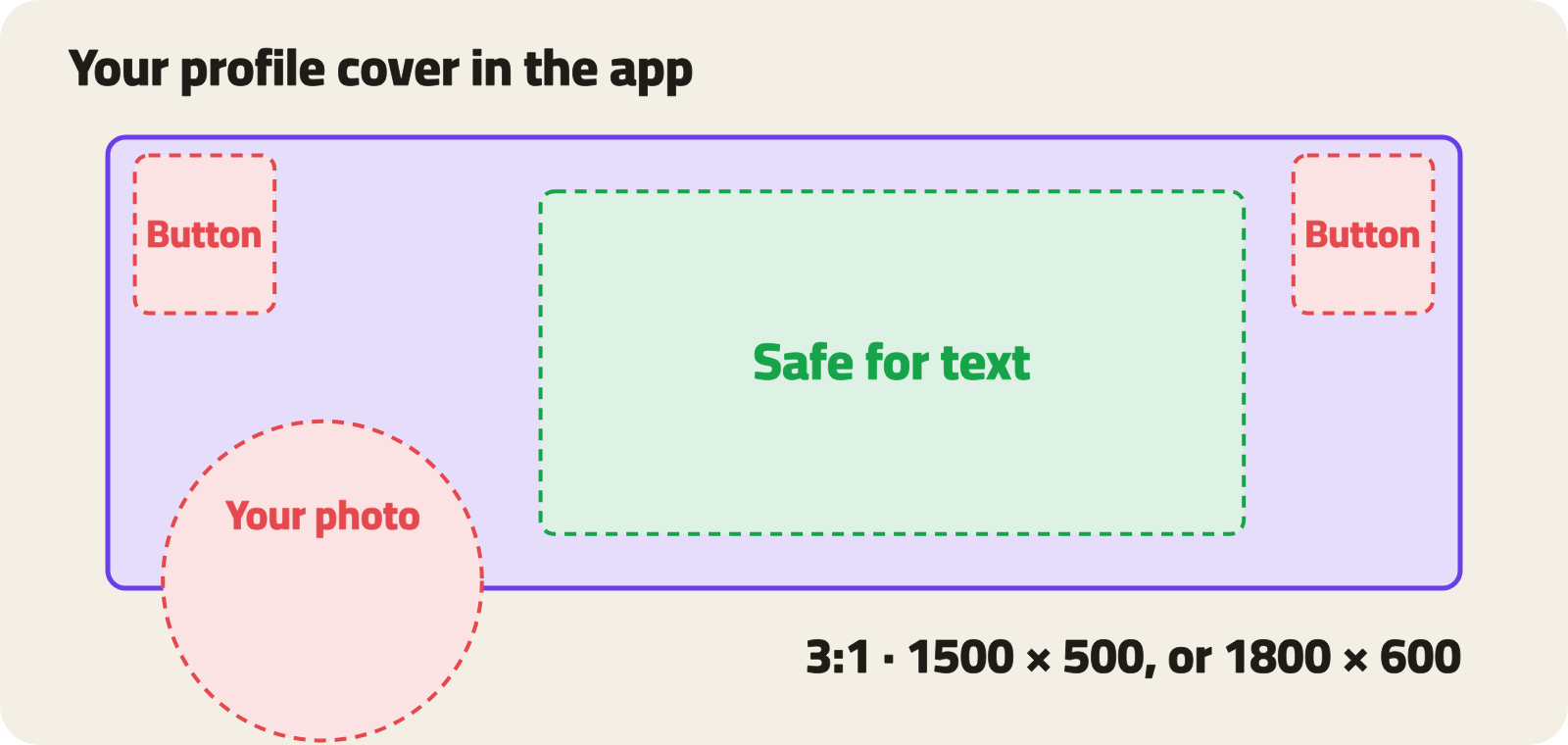
In the app, your profile photo covers the lower corner of the cover and the back and menu buttons cover the top corners. Put text and important details in the middle, and keep any text large and short: the cover is only a short strip on a phone.
Organization pages
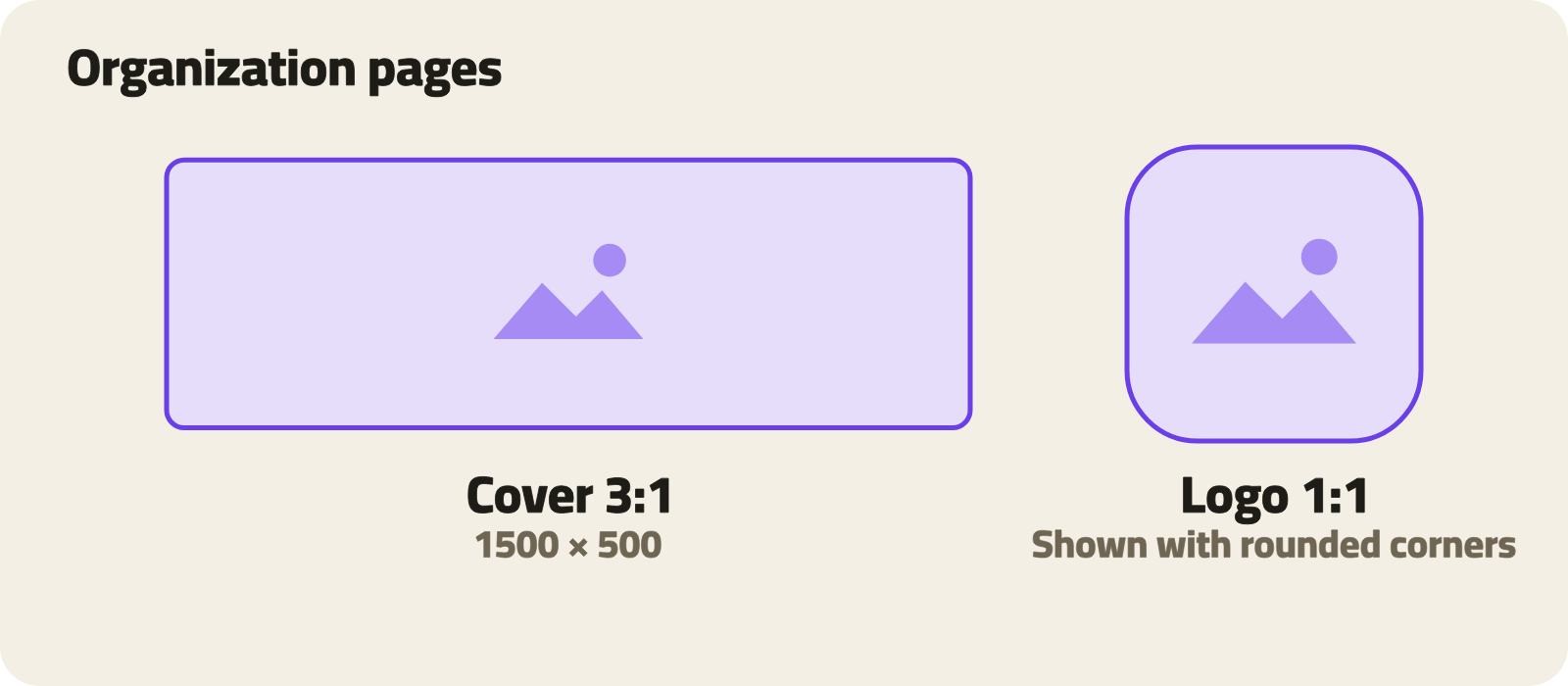
- Logo: a 1080 × 1080 square, shown with rounded corners, so leave some space around it rather than running it to the edges.
- Cover: 1500 × 500, 3:1, like a profile cover.
- Organization badge, shown next to members' names: an SVG file up to 100 KB.
Events, certificates and documents
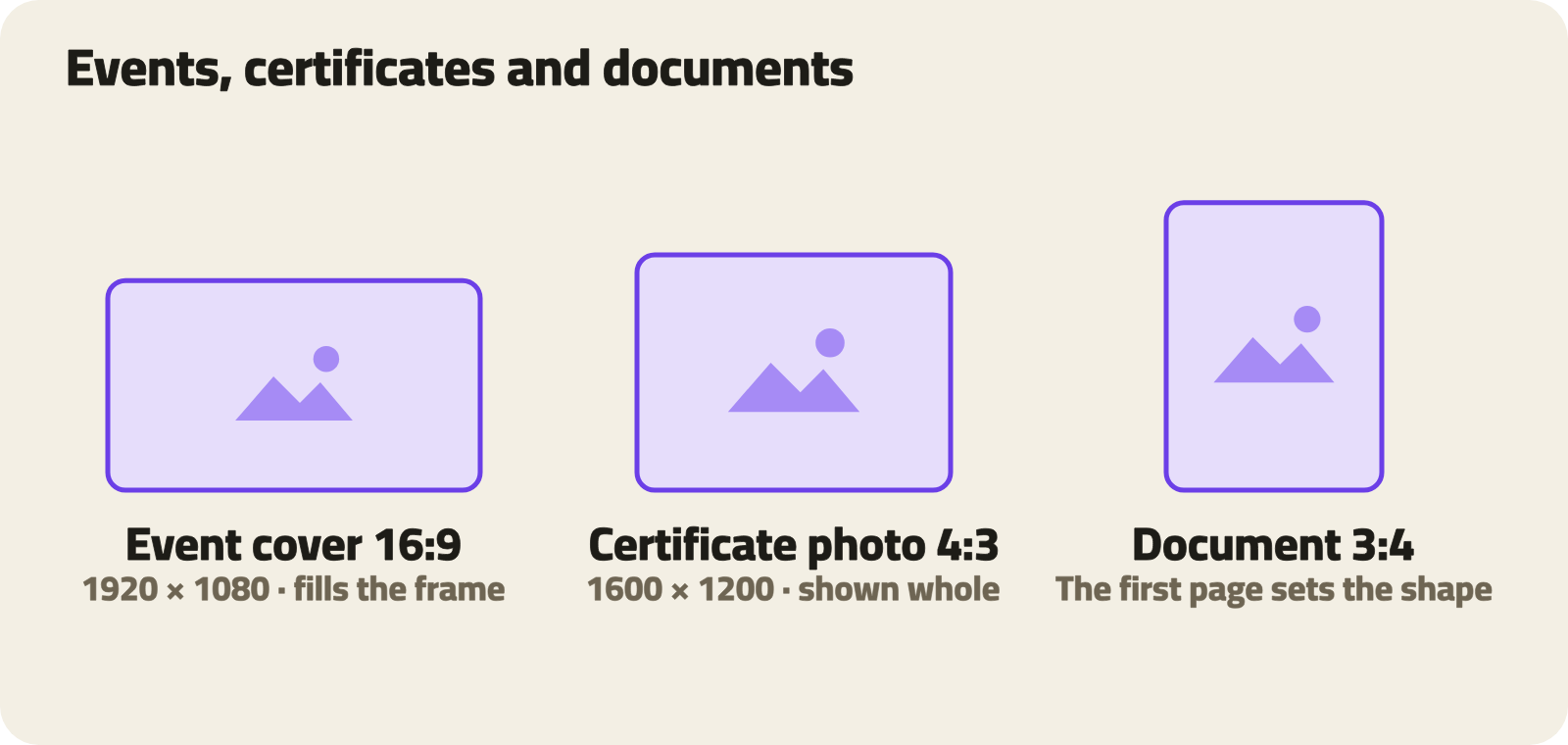
- Event cover: 1920 × 1080, 16:9. It fills the frame, so anything outside is cropped.
- Certificate photo: 1600 × 1200, 4:3, shown whole with no cropping.
- Documents: one PDF, Word, PowerPoint or Excel file, up to 20 MB. We show the first 50 pages, and the first page's shape sets the preview's shape, so portrait A4 pages and 16:9 slides both look good.
Before you upload: quick tips
- Don't upload bigger than you need: photos are scaled to 2048 px on the long side and videos to 1080p. A bigger file only takes longer to upload.
- Don't go smaller either: a photo narrower than 1080 px looks soft on modern screens.
- Export in sRGB: it’s the color space that looks the same on every device.
- Text in images: make it large and keep it away from the edges, which are the first thing to be cropped.
- Animated GIFs: we don't compress them, so keep them small.
- Write alt text for your photos: it helps people who can't see them.
Get your file to the right size once, and your work will look the way you want everywhere on Shbabna.